Testing the Voice Bot: Quick Checklist
Use this checklist to test the Voicegain voice bot and report feedback. Total time: ~10 minutes, plus the call itself.
Before you start :
- [ ] You have a test phone number (don't have one? Email support@voicegain.ai to request it)
- [ ] You've received a welcome email from support@voicegain.ai with a link to set your Speech Analytics password (haven't gotten one? Ask whoever set up your account to add you as a user — see "Not seeing an invite?" below)
Steps :
1. Set your password and log in Follow the link in your welcome email, set your password, then log in.
Which URL? Use analytics.voicegain.xyz for QA/testing (this is what most testers following this guide need). Use analytics.voicegain.ai only for production — confirm with support first if you're not sure which applies to you.
2. Make the test call Call the test number and talk to the AI agent like a real caller would. If your test involves patient/health information, expect a HIPAA verification step during the call — this is normal, not an error.
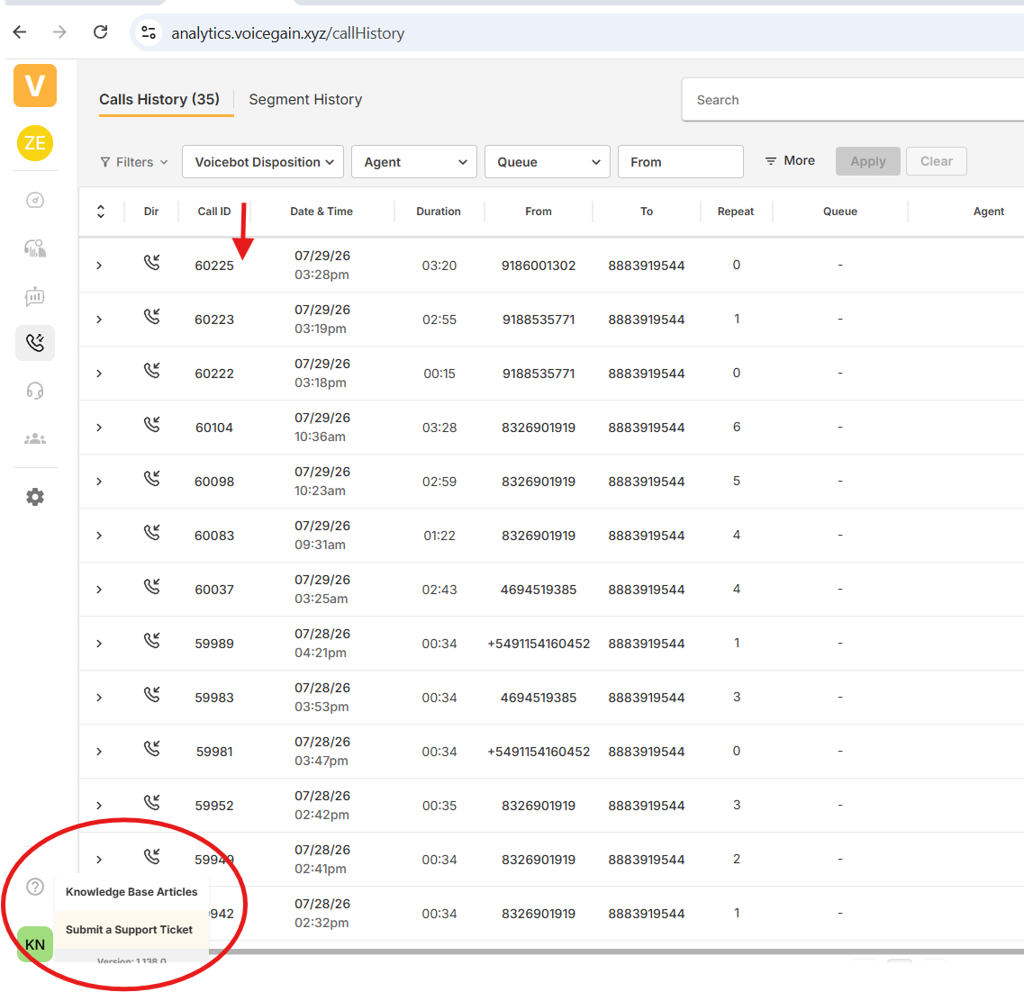
3. Find the call record In Speech Analytics, find your call in the list.
- Still says IN PROGRESS or PROCESSING? Give it a few minutes and refresh — it's not ready yet.
- Once the status clears, the record is ready and you can open it.
4. Copy the Call ID You'll need this for feedback — copy it now so you don't have to hunt for it later.
5. Report feedback Click Help (inside Speech Analytics) → this opens a support ticket. Include:
- Call ID (required — support can't look up the call without it)
- Date/time of the call
- What went well
- What went wrong
- What you expected instead
Not seeing an invite?
You need an administrator to add you as a user first. If you are the administrator:
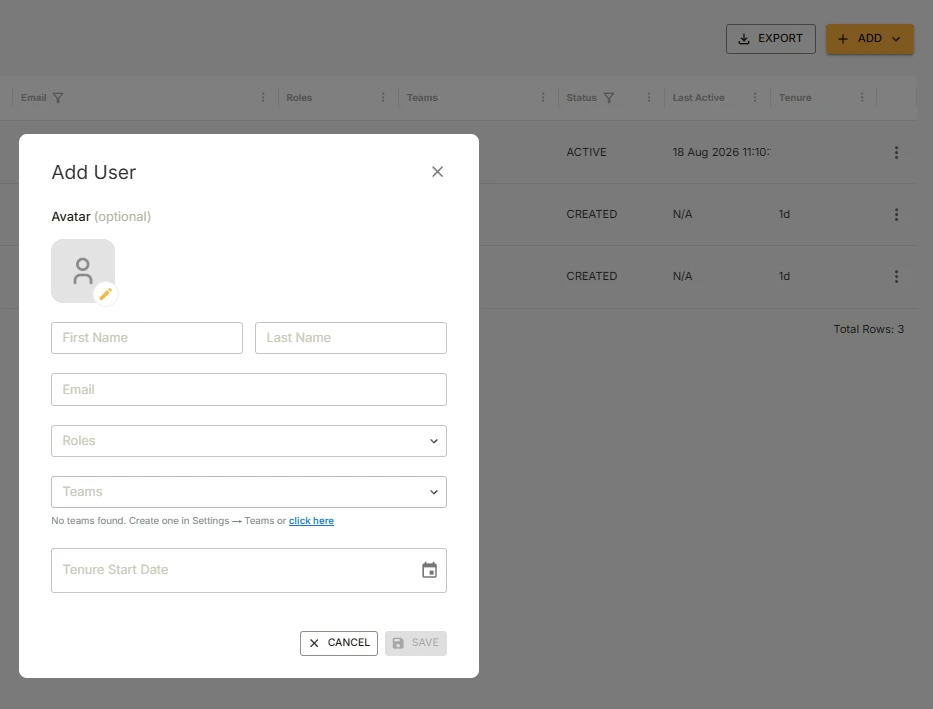
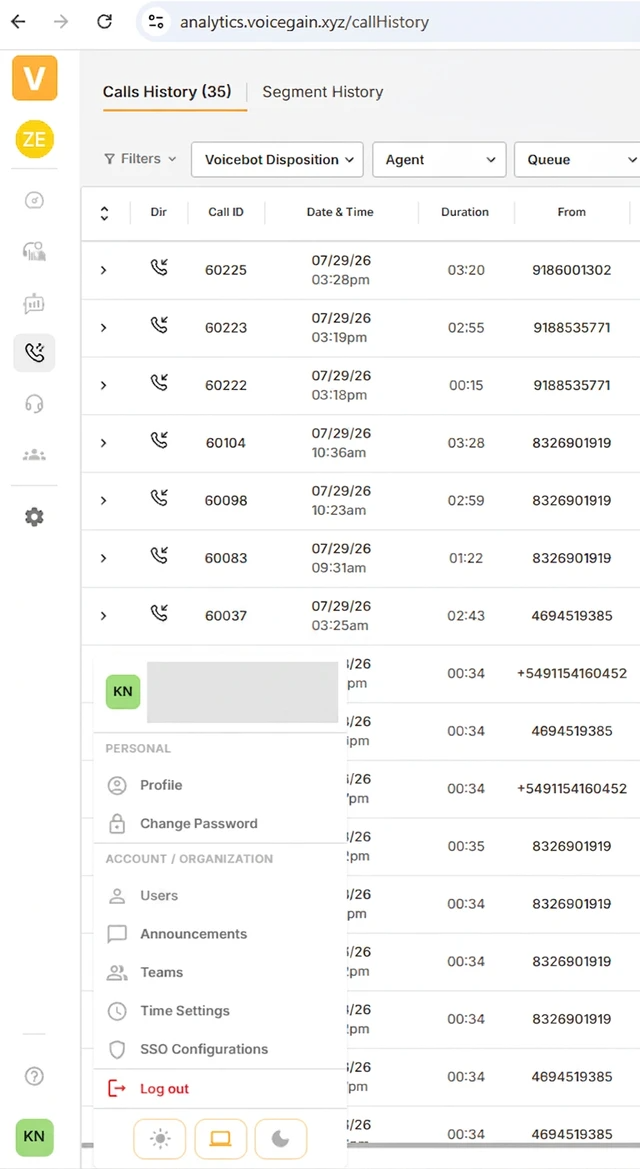
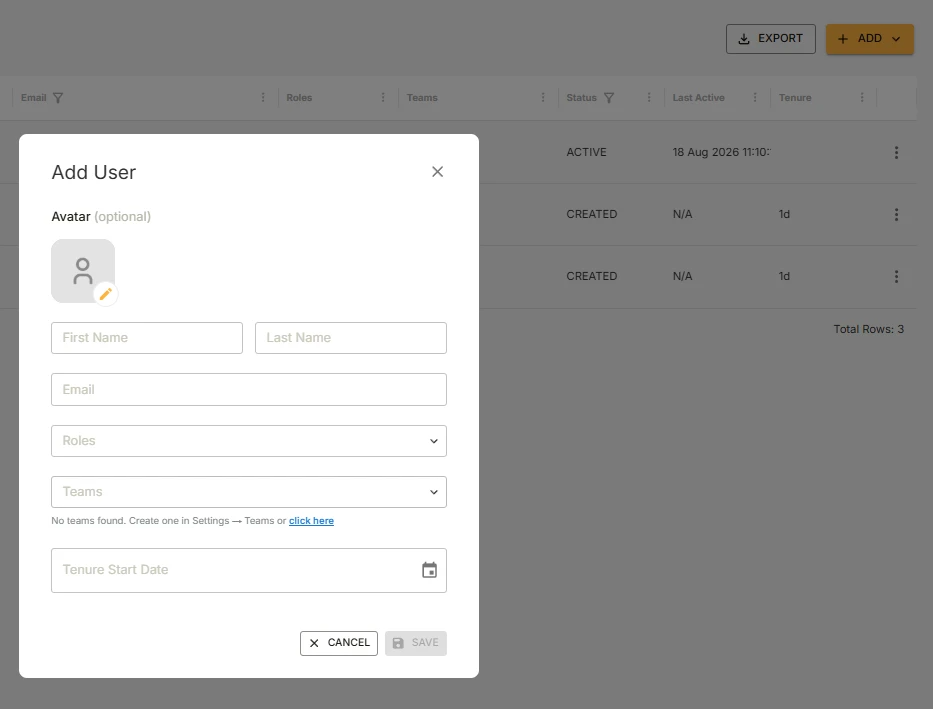
- Log into Speech Analytics → click your profile → Users → Add
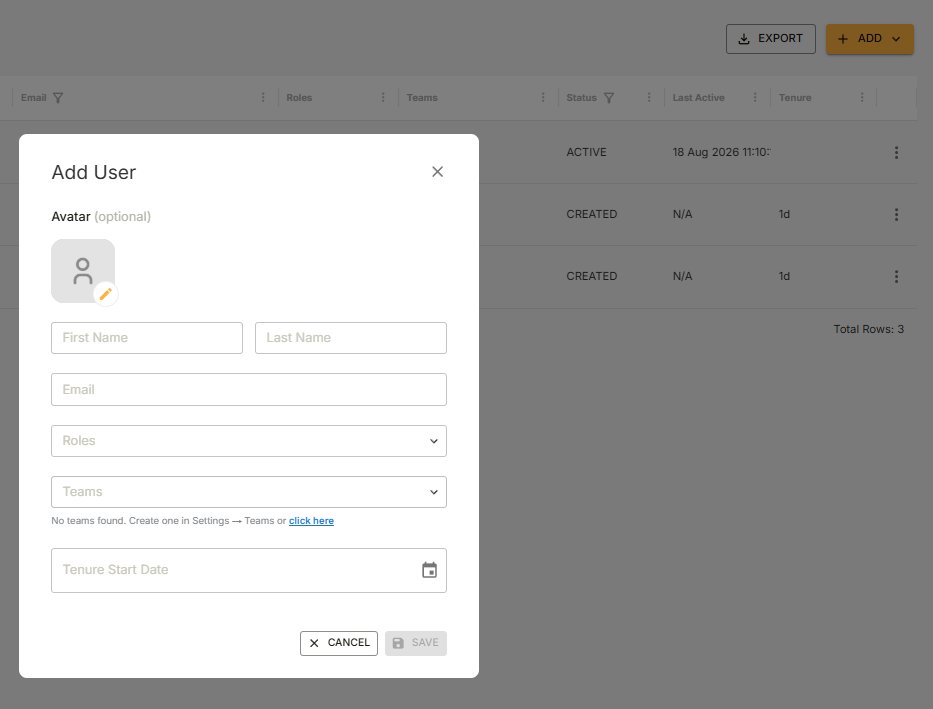
- Fill in name, email, and role → Save
- The new user gets an automatic password-setup email
If you're not an admin and no one's added you yet, contact support@voicegain.ai directly.
Was this article helpful?
That’s Great!
Thank you for your feedback
Sorry! We couldn't be helpful
Thank you for your feedback
Feedback sent
We appreciate your effort and will try to fix the article